Plans & account
Plans, modules, upgrades, and downgrades
How paid plans work, what modules unlock, and when billing changes take effect.
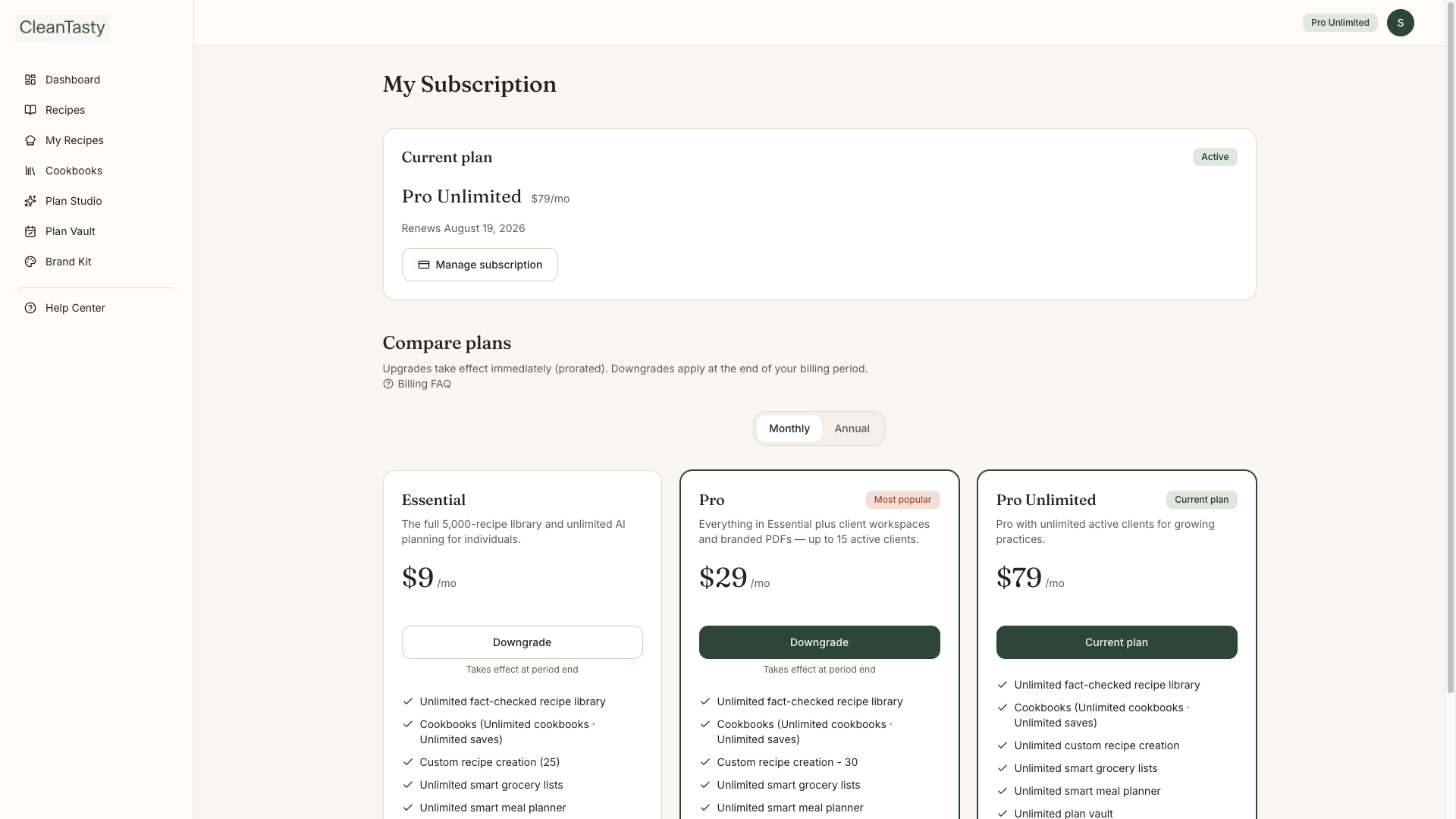
Your plan controls which modules you can use and any numeric limits (saved plans, cookbooks, PDF exports, active clients, and more). Modules and prices are managed live by the platform — always check Pricing or My Subscription for the current offer.
Before you subscribe
- Creating an account saves your email. Product pages stay locked until a paid plan is active
- If you leave before checkout, you can sign back in and finish from My Subscription
- Canceled subscriptions return to that same unpaid account — your data stays, and pages lock until you subscribe again
Modules you may unlock
- Fact-checked recipe library — browse and cook the full catalog
- Cookbooks & custom recipes — collections and private dishes
- Smart meal planner, My Diet Plans, Ready by experts, grocery lists — Diet plans hub + Plan Studio
- Branded PDFs + Brand Kit — professional exports with per-download cover options
- Clients — roster, assigned diet plans, and Prepared-for PDFs
Changing plans
- Upgrade — takes effect immediately; this billing period is prorated
- Downgrade — current plan continues until the period ends, then the new plan starts
- Manage payment method / invoices / cancel — use Manage subscription (Stripe Customer Portal)
- Lifetime (when offered) — one-time purchase for the selected access
- 1
Open My Subscription
See your current plan, pending changes, and the compare / upgrade cards.
- 2
Pick Monthly or Annual
Toggle billing interval, then choose a plan. Helper text explains whether the change is immediate or at period end.
My Subscription