
Professionals
ProBrand Kit and PDF exports
Set your logo and business details, then export branded recipe and diet-plan PDFs with per-download cover options.
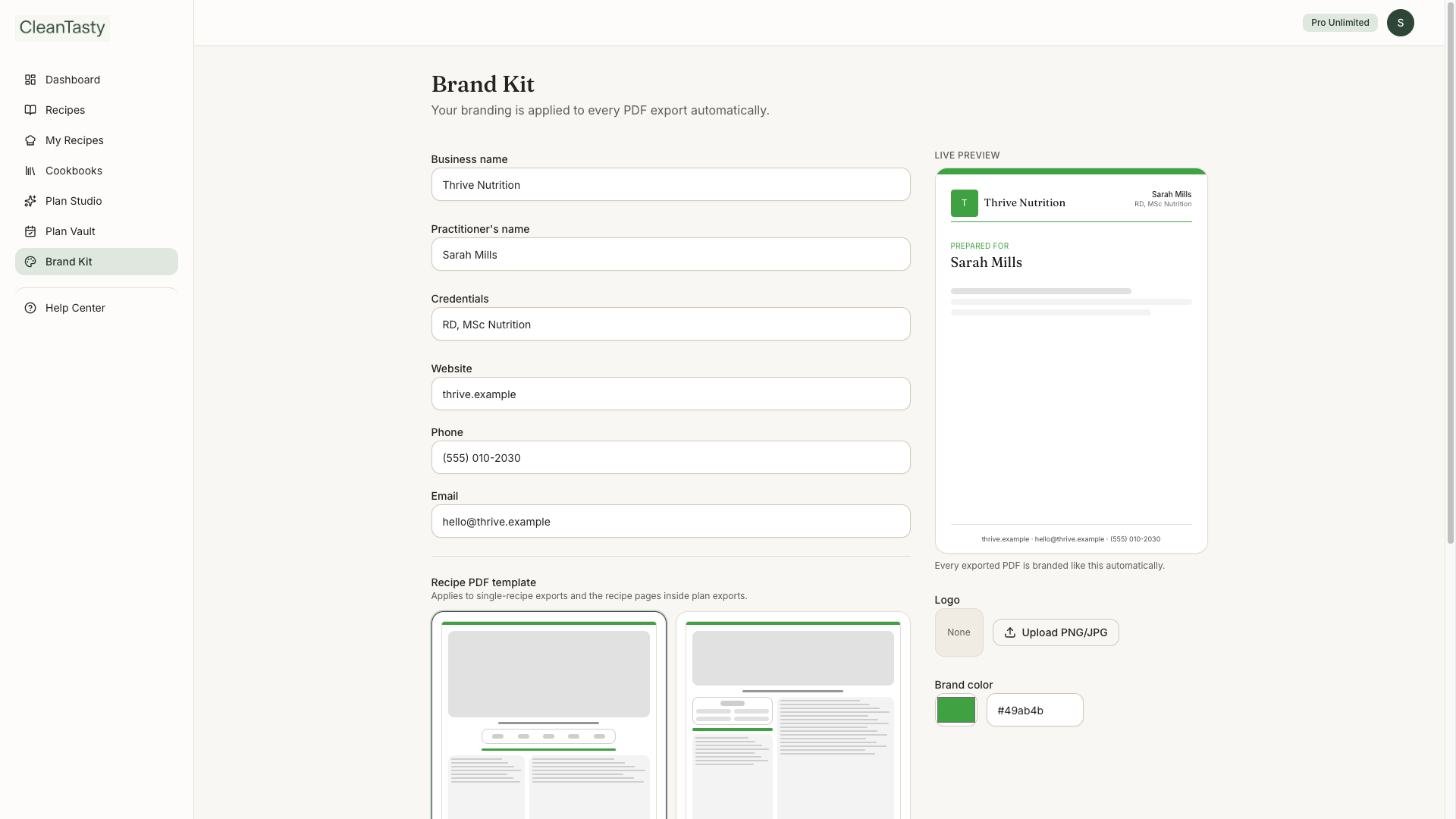
Brand Kit applies your practice identity to every PDF: logo, brand color, business name, credentials, contact, and footer note. Defaults for cover quote and grocery lists live here; you can still override cover quote (and client name) on each download.
Set up Brand Kit
- Open Brand Kit from the sidebar.
- Upload a logo, pick a brand color, and fill business / contact fields.
- Choose whether cover quotes and grocery lists are on by default.
- Choose a recipe PDF layout — Modern (fits most recipes on one page) or Classic.
- Preview live as you edit, then save.
Brand Kit & branded PDFs
Export a PDF
- Recipes — Export PDF from a recipe page
- My Diet Plans — Download PDF from Diet plans cards, a plan page (admin QA), or a client’s Assigned diet plans
- Ready by experts — Download PDF from Diet plans or a client page
- Each diet-plan download can Show / Don’t show client name and cover quote
- PDFs are generated on demand and not stored — export again anytime
Fair use & limits
Your plan may include per-type monthly caps (recipe, diet-plan, and Ready by experts PDFs), optional per-type daily caps, plus total daily and monthly fair-use limits across all PDF downloads. During a trial, downloads use that plan’s trial daily cap. Brand Kit previews don’t count. If you hit a limit, you’ll see a Fair-Use note — quotas reset on the schedule shown there.